
Perplexity just launched Computer. It orchestrates 19 AI models, connects to 400+ apps, and runs entire workflows in the cloud while your laptop is closed.
Everyone is comparing it to OpenClaw and Claude Cowork. But Computer is doing something different.
I’ve been testing it for weeks. Today’s deep dive is your complete guide to it.

Ariso: Your AI Chief of Staff
I had 80+ loose files rotting in my Google Drive root. Asked Ariso’s AI to organize them.
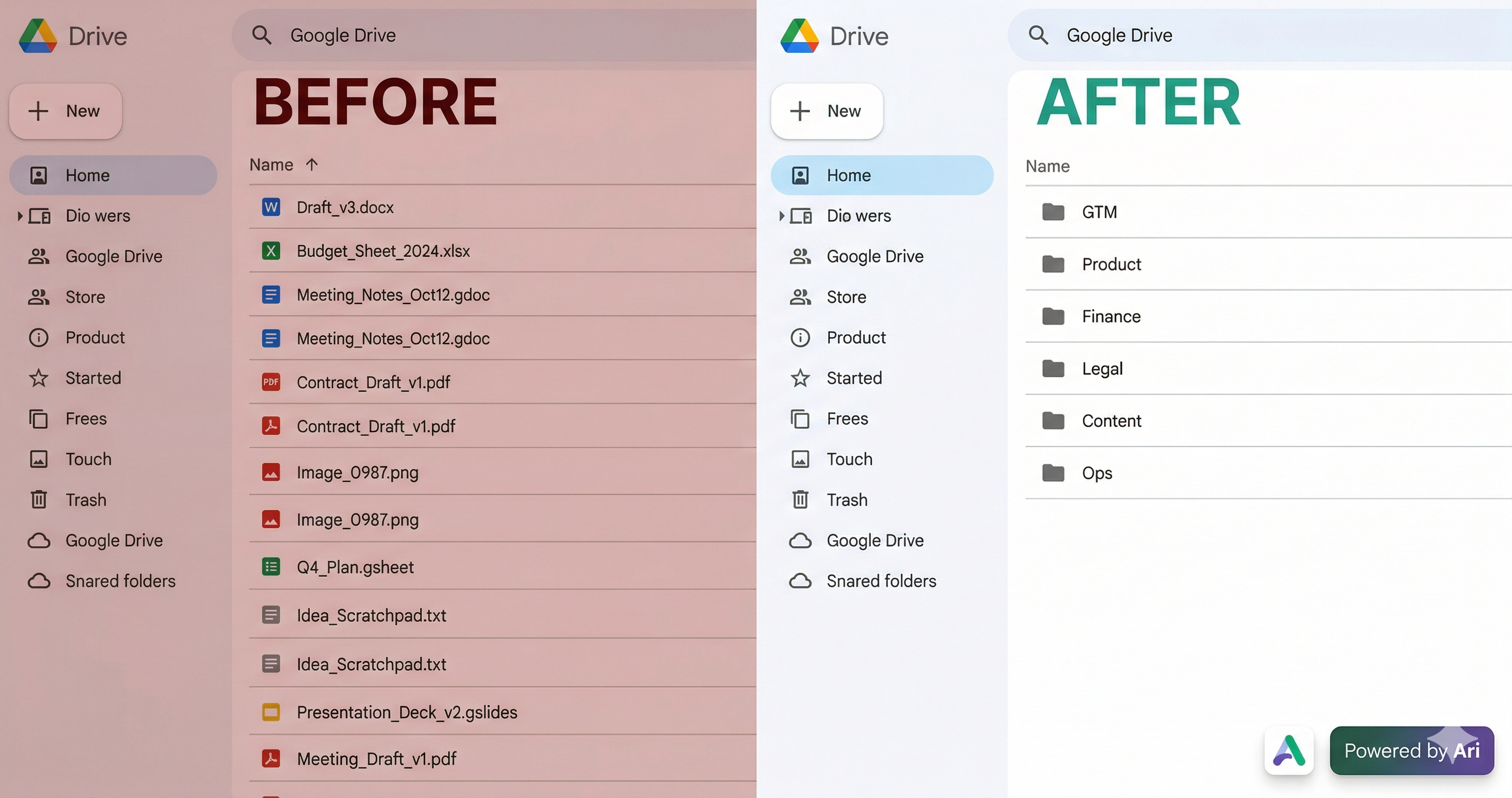
Twenty minutes later: GTM, Product, Finance, Legal, Content - all sorted, no rules or templates needed. It just read the files and figured it out. One less Saturday wasted on admin.
Try it free at ariso.ai/aakash.

There’s a billion AI news articles every week. Here’s what actually mattered.
The Week’s Top News: OpenAI has left the video generation business
OpenAI just exited the video generation business entirely. App dead. API dead. No video inside ChatGPT. Disney’s $1 billion deal, signed four months ago, is dead.

Read that again. This isn’t a consolidation into the super app. Altman told staff Tuesday that OpenAI is winding down all products using video models. Disney’s own statement says they respect OpenAI’s decision to “exit the video generation business.” The Sora research team is being redirected to robotics.
The reason is sitting right there in the competitive data. Anthropic hit $19 billion in annualized revenue by early 2026 selling text and code. No video generation. No image generation. No consumer social app. No Disney deal. One product surface: chat, code, computer use, all in one place. OpenAI looked at where every dollar of market growth was coming from and saw the answer: coding and enterprise.
So now they’re copying the model. ChatGPT, Codex, and the browser merge into one app. Instant Checkout killed today too. Every consumer experiment is getting cut. What remains is the Anthropic playbook: one app, code and chat, enterprise and developer focus.
The Sora numbers explain the urgency. Total consumer revenue across iOS and Android since September: $1.4 million. Peak month was $540,000. Every video generation burned GPU compute that could have been running inference for ChatGPT or Codex instead. OpenAI’s own head of Sora announced generation limits because chips couldn’t keep up. At $14 billion in projected 2026 losses, every GPU matters.
Google just inherited the AI video market by default. Nano Banana already lives inside Gemini. No standalone app to manage, no separate brand to support. Among the majors, they’re the only ones left. Runway, Kling, Minimax, Luma, and the other independents are still shipping, but none of them have Google’s distribution.
Disney put $1 billion in stock warrants on a product that lasted six months. The deal was announced in December. Characters from Marvel, Pixar, and Star Wars were supposed to be generating fan videos on Sora by now. Instead, Disney is writing a polite press statement about “respecting OpenAI’s decision” while its legal team unwinds a deal that never produced a single licensed video.
Four months from billion-dollar partnership to obituary. That’s how fast the AI product landscape reprices when the unit economics don’t work.
The Other News That Mattered
Anthropic shipped four features in 30 days that reverse-engineer every OpenClaw capability into an enterprise-safe product. Dispatch, Claude Code Channels, computer use in Cowork, curated plugin marketplace. The agent race rewards shipping velocity over hiring velocity.
Someone poisoned LiteLLM, the Python package that routes AI API keys for NASA, Netflix, and Stripe. 97 million downloads a month. A single
pip installexfiltrated every SSH key, cloud token, and .env file on the machine. The only reason it got caught is the attacker vibe coded the malware so badly it crashed computers before it finished. If you’re shipping AI agents, your supply chain is your attack surface.Apple put AI coding agents in Xcode 26.3, then blocked Replit and Vibecode from updating in the App Store. Replit dropped from first to third in developer tools downloads in two months. Every app built through vibe coding that ships as a web app is revenue Apple never touches. The policy isn’t about code execution rules from 2009. It’s about who gets to be the on-ramp.
Google Research published TurboQuant, a compression algorithm that reduces LLM key-value cache memory by at least 6x and delivers up to 8x speedup on H100 GPUs. The internet is already calling it Pied Piper. Cloudflare’s CEO called it Google’s DeepSeek moment. The paper will be presented at ICLR 2026 next month.
Resources
If you’re using Claude Code without plan files, you’re doing it wrong. Matt Van Horn’s piece on every Claude Code hack he knows is the best single resource I’ve seen this month. I have 70 plan files and 263 commits in the last 30 days. Plan first, build second.
Tools
Claude Code cloud scheduling is the feature I've been waiting for. Set a repo, a prompt, a cadence. Your laptop can be off. Nightly dependency audits, stale PR reviews, test reruns, all running at 3am on Anthropic's infra. $200/month.
MCP Apps hit mobile this week. Figma, Canva, Amplitude, all inside Claude on your phone. You stop opening apps. You open Claude and Claude opens them for you. The race to own the AI routing layer on your phone is now a three-way fight.
Dispatch lets you run multiple Cowork sessions from your phone in Claude Code. Spawn a research task, a draft, and a gap analysis from the same thread while you're walking your dog. Each task runs independently on your desktop. Your phone is the command chair.
I'm doing a free masterclass on April 7th covering the two interview rounds that eliminate most PM candidates, behavioral and AI PM, and exactly how to pass them. Register here.

The Complete Guide to Perplexity Computer

The agentic AI world is moving fast. First it was Manus, Openclaw, Claude Code, then Claude Cowork. Now Perplexity has dropped Perplexity Computer.
They all want to be the tool you can’t live without. But how do you know which one to pick for your work? And how do they actually compare when you put them to work?
I have a feeling Computer is about to earn the same loyalty.
That’s what this guide is about. Perplexity Computer treats vague instructions as permission to do far more than you asked. And that costs real money. I spent my first week learning that the hard way.
But once I figured out how the system actually works, I built a prompting structure that controls the cost before Computer starts spending. And I built workflows that genuinely replaced hours of manual work.
I’m not here to inflate AI hype. I’m here to share what actually works.
Here’s what you need to know:
What Is Perplexity Computer
How to Use Perplexity Computer
Honest Limitations and Structural Risk
1. What Is Perplexity Computer
Perplexity Computer launched on February 25, 2026. CEO Aravind Srinivas calls it a “general-purpose digital worker.”
Despite its name, it’s not a physical computer. It’s a cloud-based system made up of multiple AI agents working together.
It can research, design, build, test, deploy, and automate. With 400+ app integrations, it can also read your Gmail, push code to GitHub, query your Snowflake database, post to WordPress, and about 396 other things I’m still discovering.
All from a single prompt and a single interface. No terminal. No API keys. No local setup.
That last part matters. If you’ve tried OpenClaw , you know the headache. Local installations, environment configs, dependency hell. Computer runs entirely in the cloud. You describe the outcome. Computer handles everything else.
The 19 Models Under the Hood
I was jumping between Claude, Gemini, and GPT constantly. Different tabs, different contexts, different formatting. Copy-pasting outputs from one model into another just to get a complete workflow done. It was exhausting.
Computer eliminates that entirely. It sits on top of 19+ frontier AI models. Claude Opus 4.6 handles the core reasoning. Gemini runs deep research tasks. ChatGPT 5.3 assists with long-context recall. Grok takes the lightweight, quick tasks. Nano Banana generates images. Veo 3.1 produces videos (Google’s models).
Computer picks the best combo for the job. You write one prompt. Computer routes the work.
Tip: You can manually assign which models handle which parts of your task. Most people skip this and let Computer pick the most expensive option. Learning to control model routing is the fastest way to cut costs.
The Business Model Shift
Perplexity spent three years building a search engine at $20/month flat. Computer layers a consumption-based product on top of that entire base. Max subscribers get 10,000 credits per month. Usage-based pricing. Spending caps. You choose which models run your sub-agents.
This is a fundamentally different business than search. Search is a flat subscription. Computer is metered compute. That changes how you use it, how you budget for it, and how you think about what’s worth automating.
How Tasks Actually Run
Everything in Computer is organized around Tasks. A Task is not a conversation. It’s a job.
When you submit a prompt, the orchestrator (powered by Claude Opus 4.6) reads it, breaks the objective into subtasks, creates a separate sub-agent for each one, assigns each to the best-suited AI model, runs them in parallel, and compiles results in the right panel.
Every sub-agent consumes credits. More sub-agents means higher cost. This is why vague prompts are expensive. The orchestrator creates sub-agents for every plausible interpretation. Specific prompts create fewer, more targeted agents.
You can see the decomposition happening in the output panel as it runs.
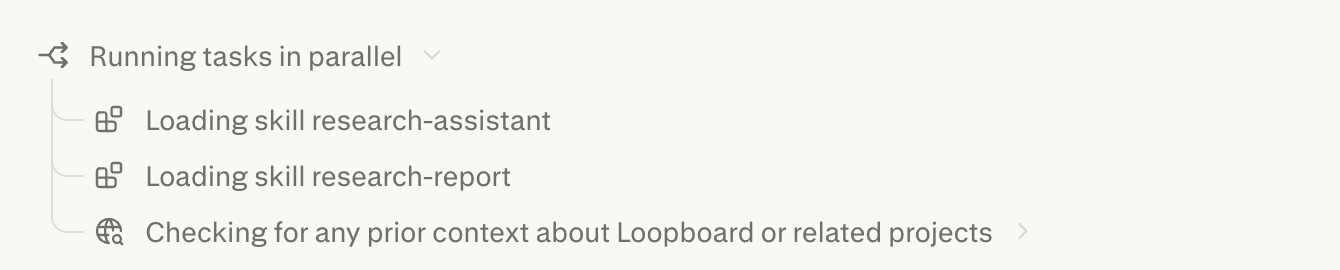
Tasks run asynchronously in the cloud. Close your browser. Go to dinner. When you come back, everything is done.
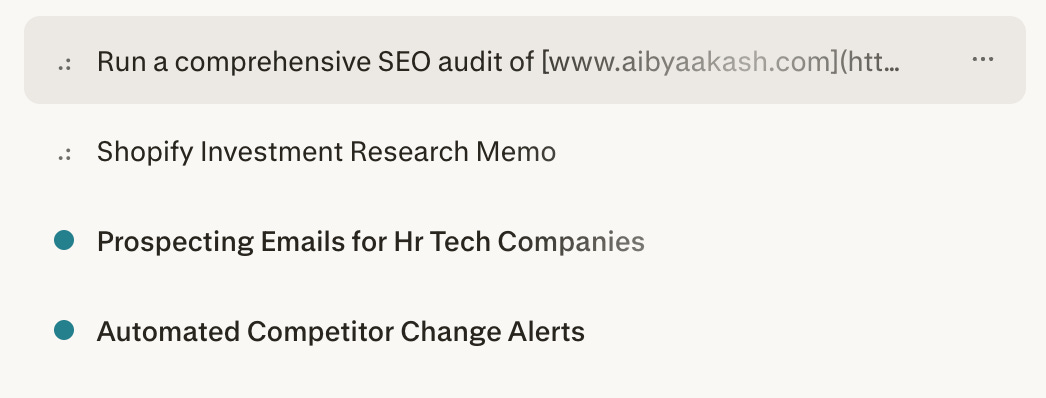
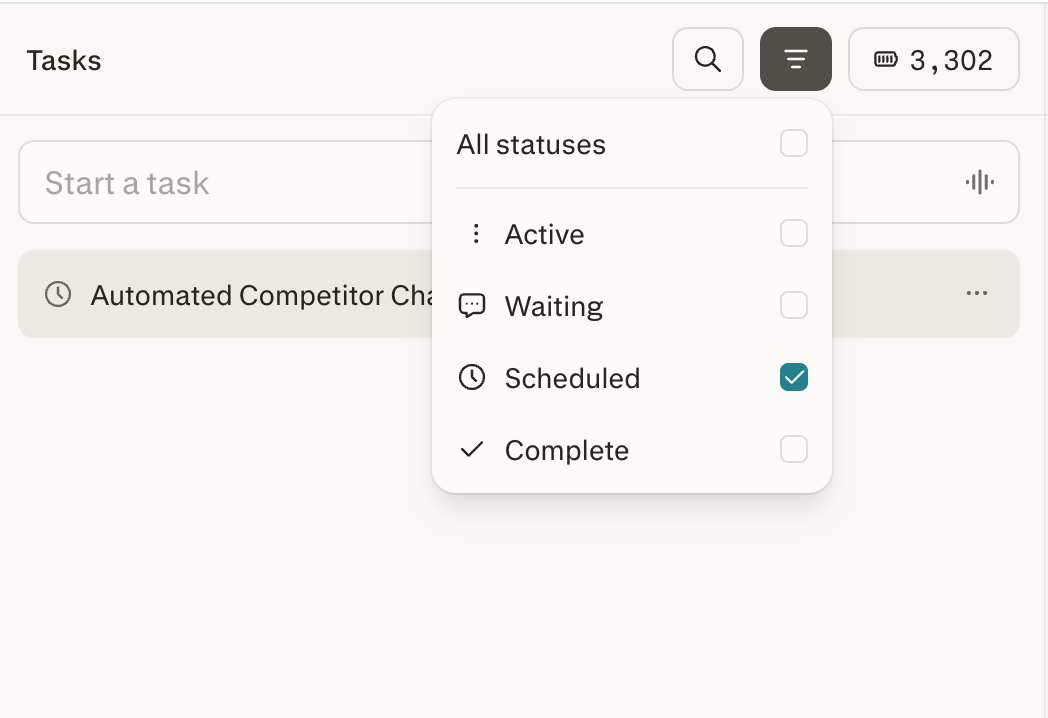
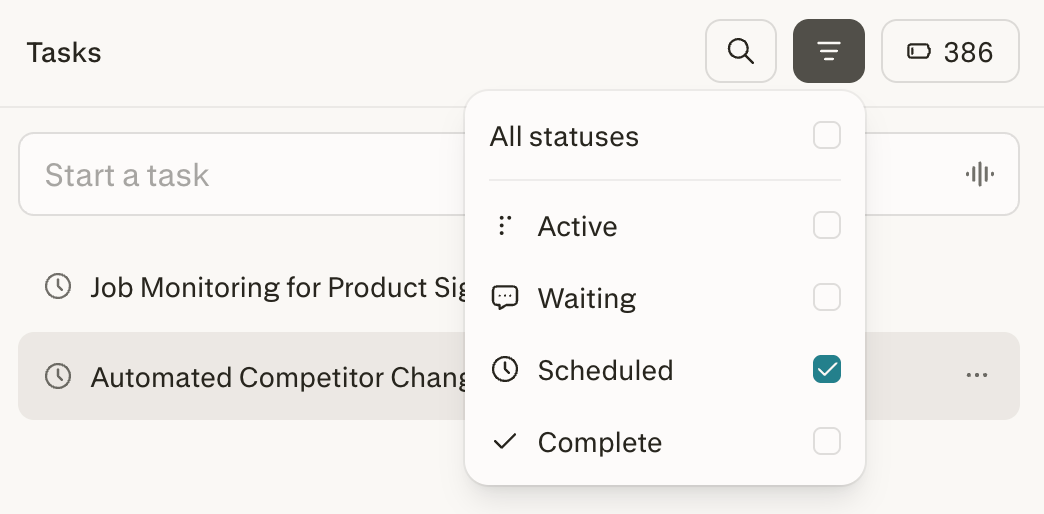
Scheduled tasks take this further. Your machine doesn’t need to be on. Set it up once. Computer runs it on a recurring schedule whether your laptop is open, closed, or sitting in a drawer. This kills the need for OpenClaw to be honest, as Computer has zero local setup.
The Sandbox
Every task runs inside an isolated Firecracker microVM (same tech AWS built for Lambda). Real filesystem, real browser, real tool integrations. Complete isolation between tasks.
Computer can’t touch your local files. Everything runs in the cloud. If a task goes wrong, the failure stays contained. That’s the safety advantage over OpenClaw, which runs locally with direct access to your filesystem.
The sandbox also has advanced anti-blocking architecture. It navigates around anti-bot blockers that normally stop AI agents from browsing the web. That’s why it can scrape competitor sites and interact with web apps other agents can’t.
Limitations: no desktop app control, no screen/mouse access, file access limited to uploads and connectors.
Setting Up
You need a Perplexity Pro subscription ($20/month), Max ($200/month), or Enterprise Max ($325/seat/month). Pro gets 4,000 credits per month. Max gets 10,000. At launch, Max users received a one-time bonus of 20,000-35,000 extra credits (valid for 30 days).
Getting started takes 30 seconds. Go to perplexity.ai, log in, click the Computer icon in the left sidebar. You’re in. No local setup. No terminal. No environment variables.
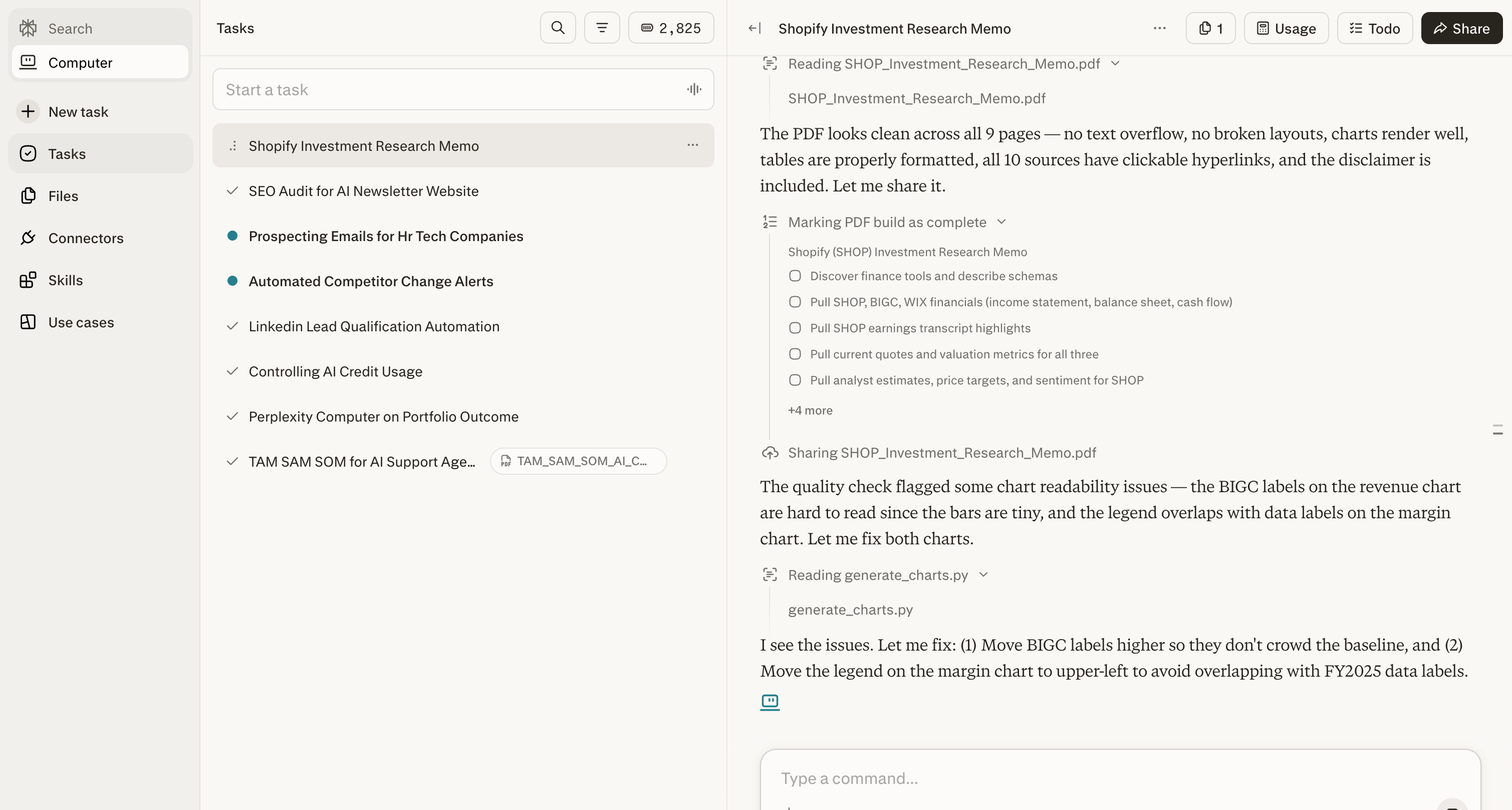
Credit counter in the sidebar updates in real time. Usage button in the top right of any task shows its specific cost. Full breakdown at perplexity.ai/account/usage.
Connectors (And Why They’re the Real Product)
This is where Computer stops being a research tool and becomes a workflow execution system.
Connectors let Computer access your actual data and take real actions in your existing software. Not summaries. Real read-and-write access.
Setting them up takes about a minute per app. Click Connectors in the sidebar, browse the list, click Enable, complete OAuth. Done. Computer can now read from and write to that service.
Here’s what makes Computer’s connectors different from other AI tools. Most agents give you 10-20 integrations focused on productivity basics. Computer has 400+, and the interesting ones go way beyond Slack and Google Drive.
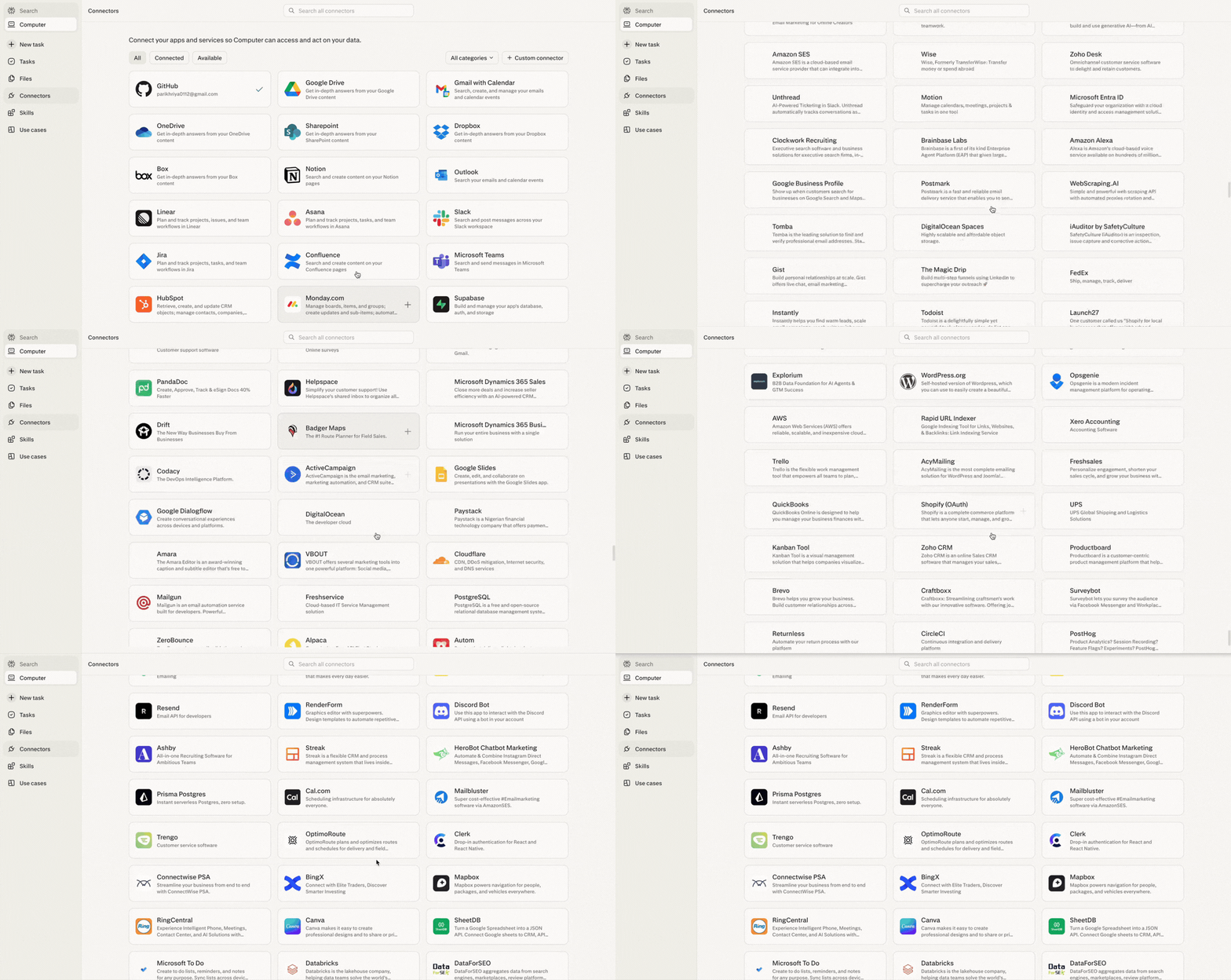
What you can actually do with these connectors.
Here’s what surprised me about these connectors. They’re not just productivity integrations. Some give you access to things that normally cost thousands or require engineering to set up.
I asked Computer to build me an investment memo on Shopify. It pulled live financials from FactSet, earnings transcripts from Quartr, analyst sentiment from finance Twitter. No API keys. No data subscriptions. Just built-in access to FactSet, S&P Global, Coinbase, CBOE, Nasdaq, NYSE. All native.
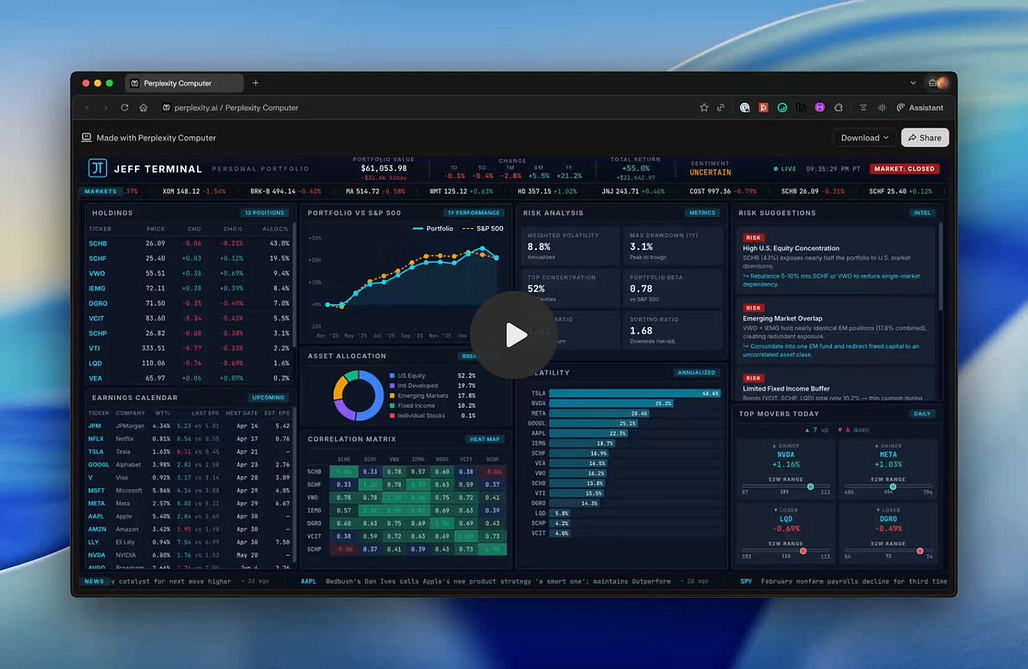
Through Plaid, you can link your actual brokerage and Computer builds you a live portfolio dashboard. Daily P&L, position cards, news feed, earnings calendar, price alerts. A personal Bloomberg terminal on a private URL. Full setup and prompt in Use Case 4.
Research access is wild. CB Insights, PitchBook, Statista. Computer bypasses the paywalls. A $5,000 market sizing report? Computer just pulls it.
The Snowflake connector made me stop and think. Connect it, and Perplexity auto-generates a Data Map of your schemas. Type “What were the top 10 customers by revenue last quarter?” Computer writes the SQL, runs it, hands you charts. Plain English in, data out. Same with Salesforce, HubSpot, Databricks.
GitHub lets Computer write, refactor, and push code to your repos. Gmail, Slack, LinkedIn go deeper than you’d expect. I had it scan my inbox, summarize my newsletters, draft unsubscribe requests, and calculate my SaaS burn rate from receipt emails. Tag Computer in a Slack channel and it runs research without you switching tabs.
Polymarket was unexpected. Live prediction market odds for industry events. Real-time sentiment without refreshing a dozen tabs. Reddit for early business signals. Toggl Track for time tracking. And this caught my eye: direct purchases through PayPal. An AI agent that can buy things. That’s new.
For SEO, Ahrefs, Google Search Console, Google Analytics, WordPress, Cloudflare. Full audit, competitor analysis, keyword mapping, content drafting, and live site updates. One prompt.
And the one that surprised me most. Computer connects to Amazon’s Selling Partner API and Shopify natively. If you’re running D2C, that changes everything.
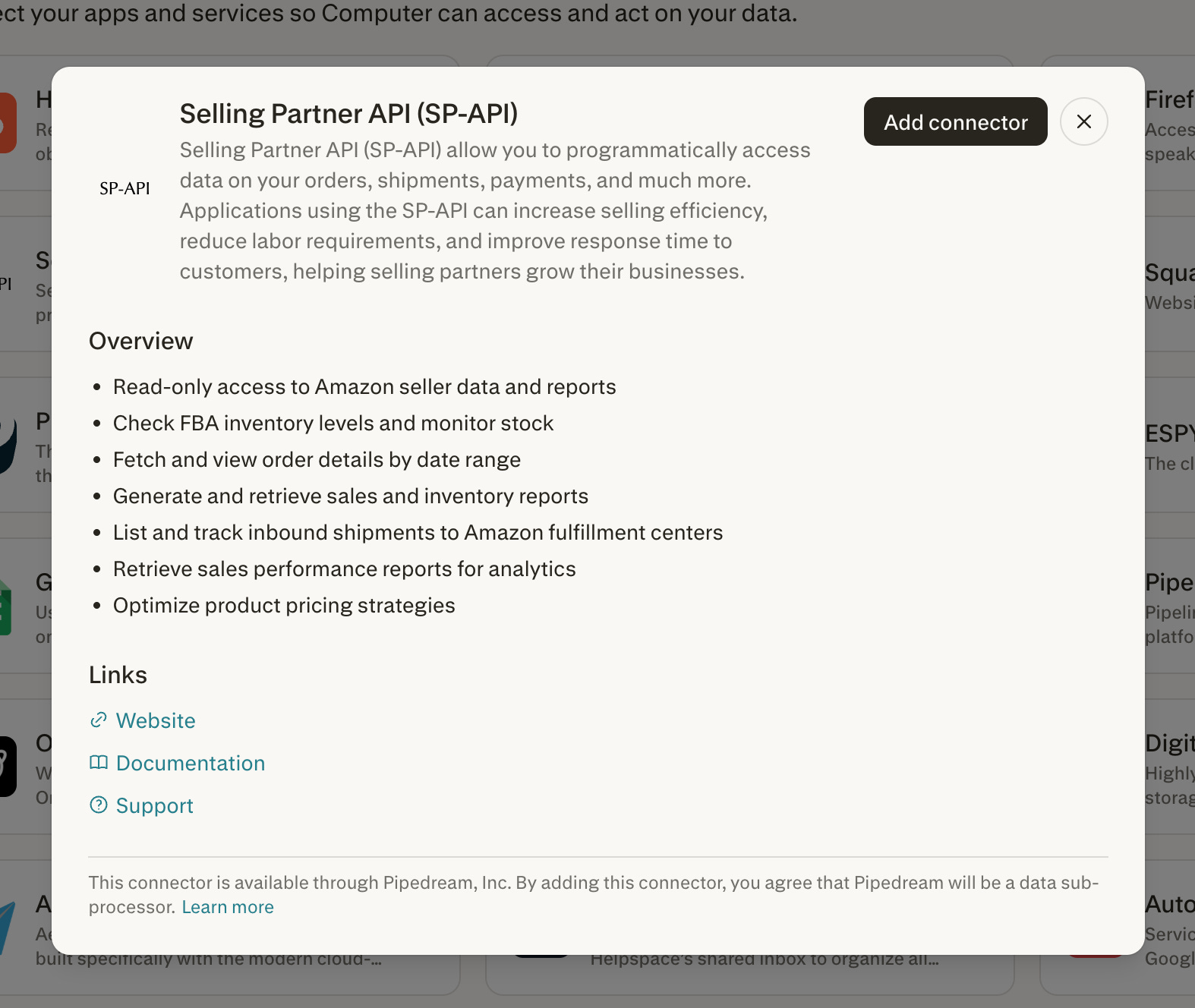
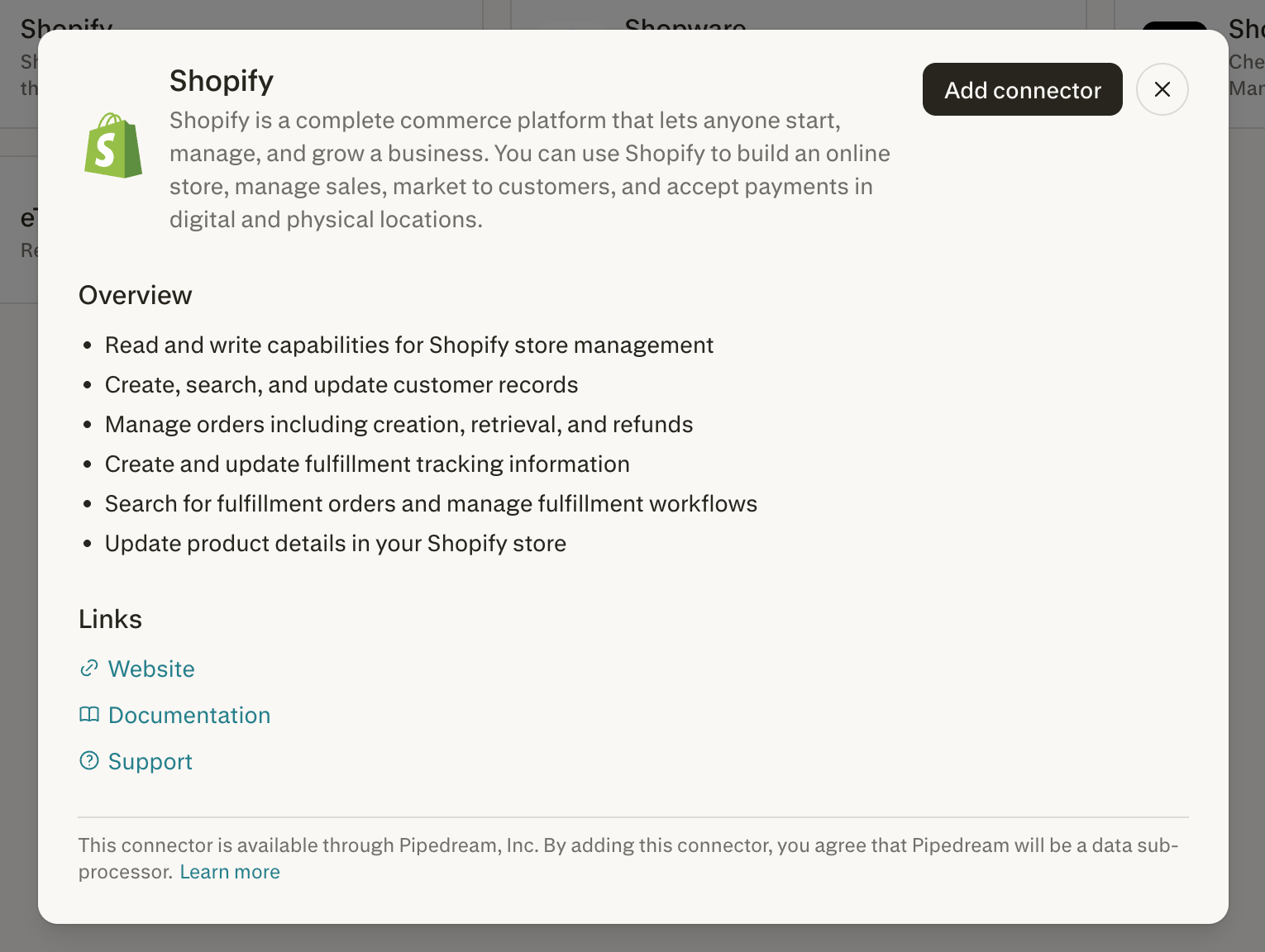
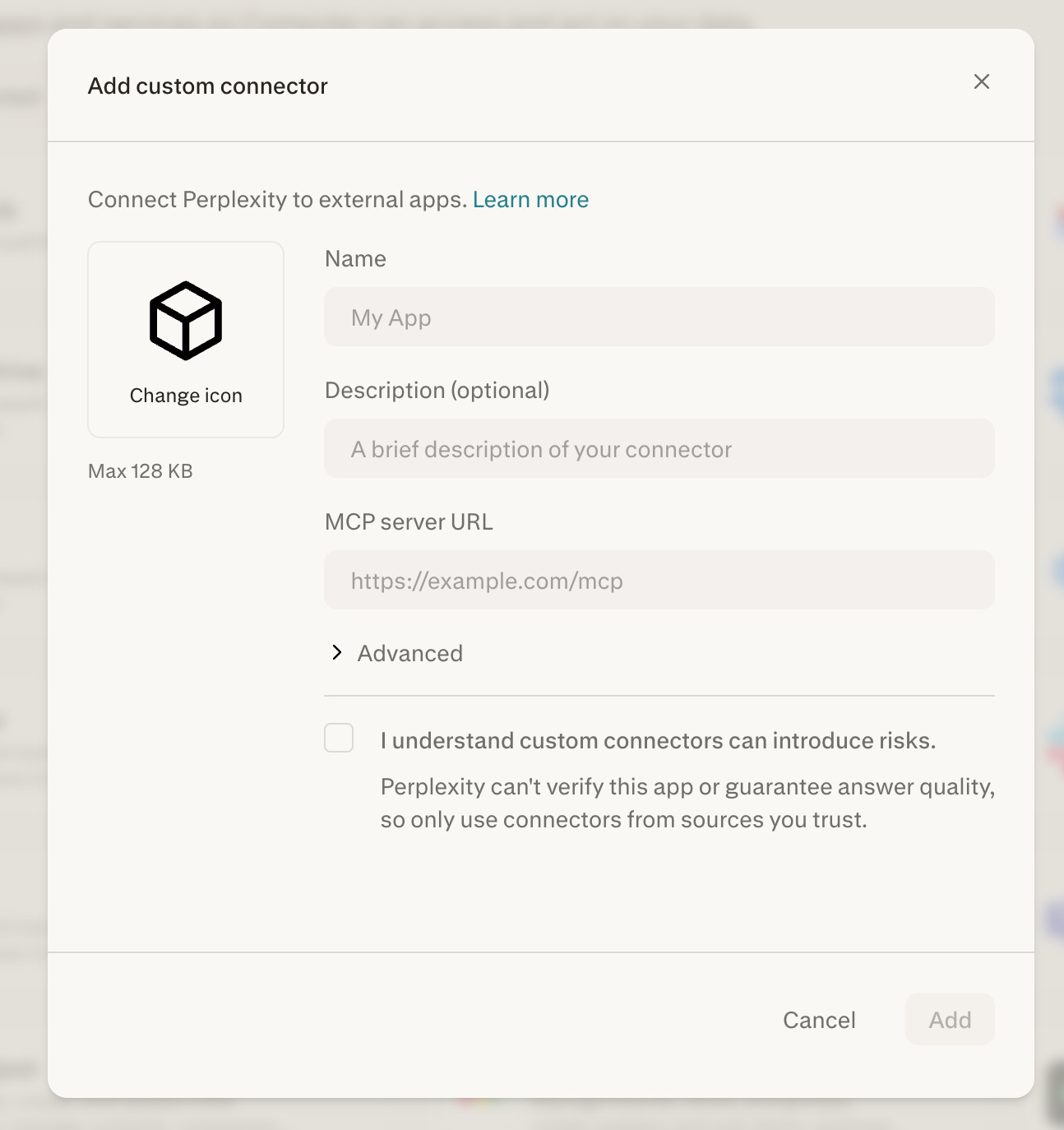
Bring your own tools. If Perplexity doesn’t have a connector for something you use, provide an MCP (Model Context Protocol) server URL. This lets you hook Computer up to proprietary CRMs, custom analytics servers, or private APIs. Enterprise admins can share custom connectors across the organization.
I wrote about how Computer replaced $225K/year in marketing tools. There are 15,384 MarTech tools on the market right now, and the average marketing team uses only 33% of their stack’s capabilities. Companies are paying more for tools they use less every year. That’s the gap Computer is attacking. The argument is that the entire category is waste.
Skills and Custom Instructions
A Skill is a saved set of instructions that auto-activates when Computer recognizes a matching task. Same concept as Claude Skills or Cowork plugins.
Without Skills, you’re re-explaining your brand guidelines, formatting preferences, and reporting structure on every task. With Skills, you explain it once.
Computer ships with built-in Skills for Slides, Research, Research Report, and Chart. To create a custom one, click Skills in the sidebar, click + Create skill, and upload a .md file.
Skills stack. A research Skill can hand off to a report-formatting Skill, which hands off to a slides Skill. One prompt, full pipeline.
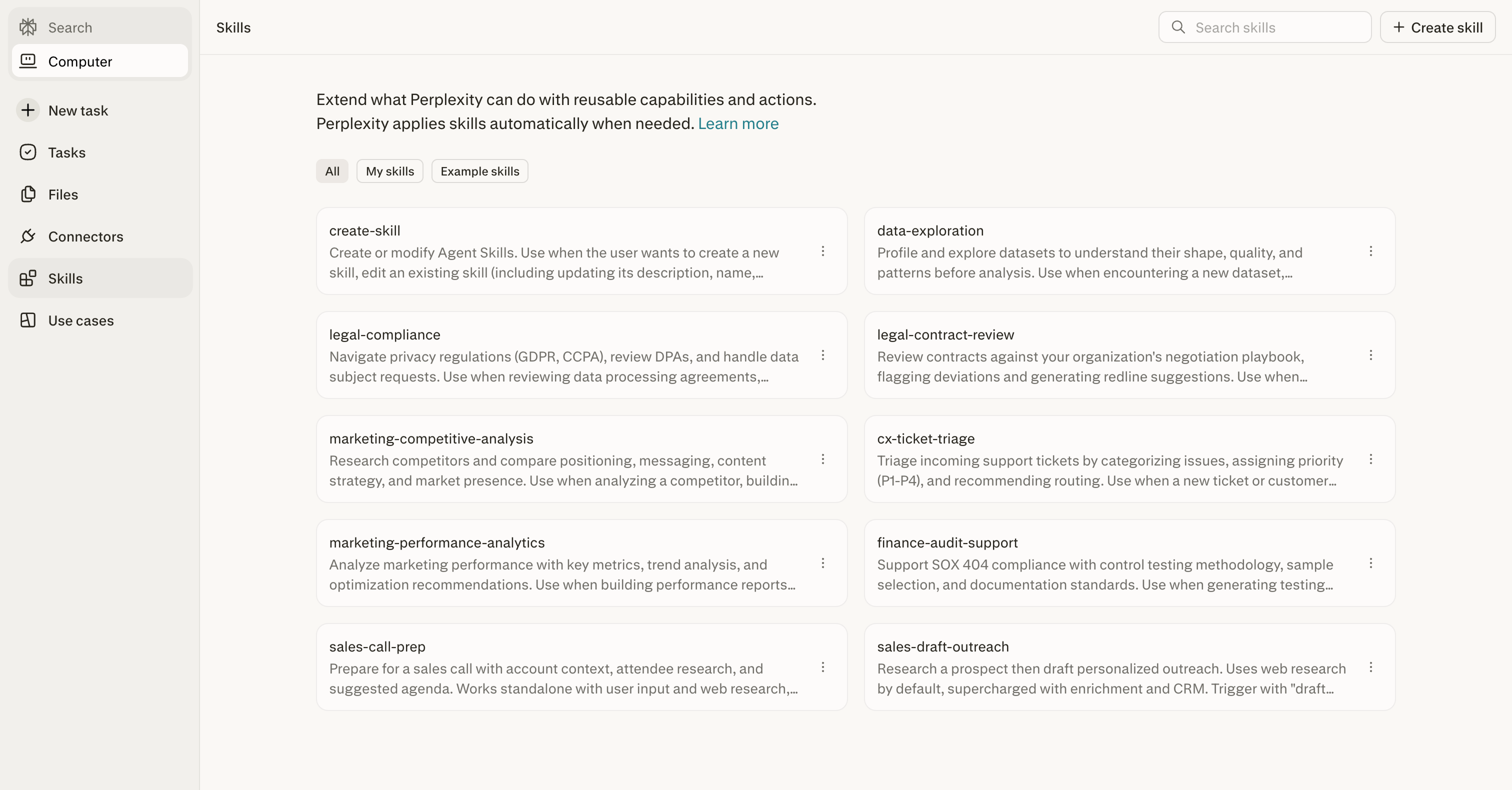
Tip: If you’ve explained the same thing to Computer twice, it should be a Skill. Brand guidelines. Formatting rules. Research methodology. Build it once, never repeat yourself.
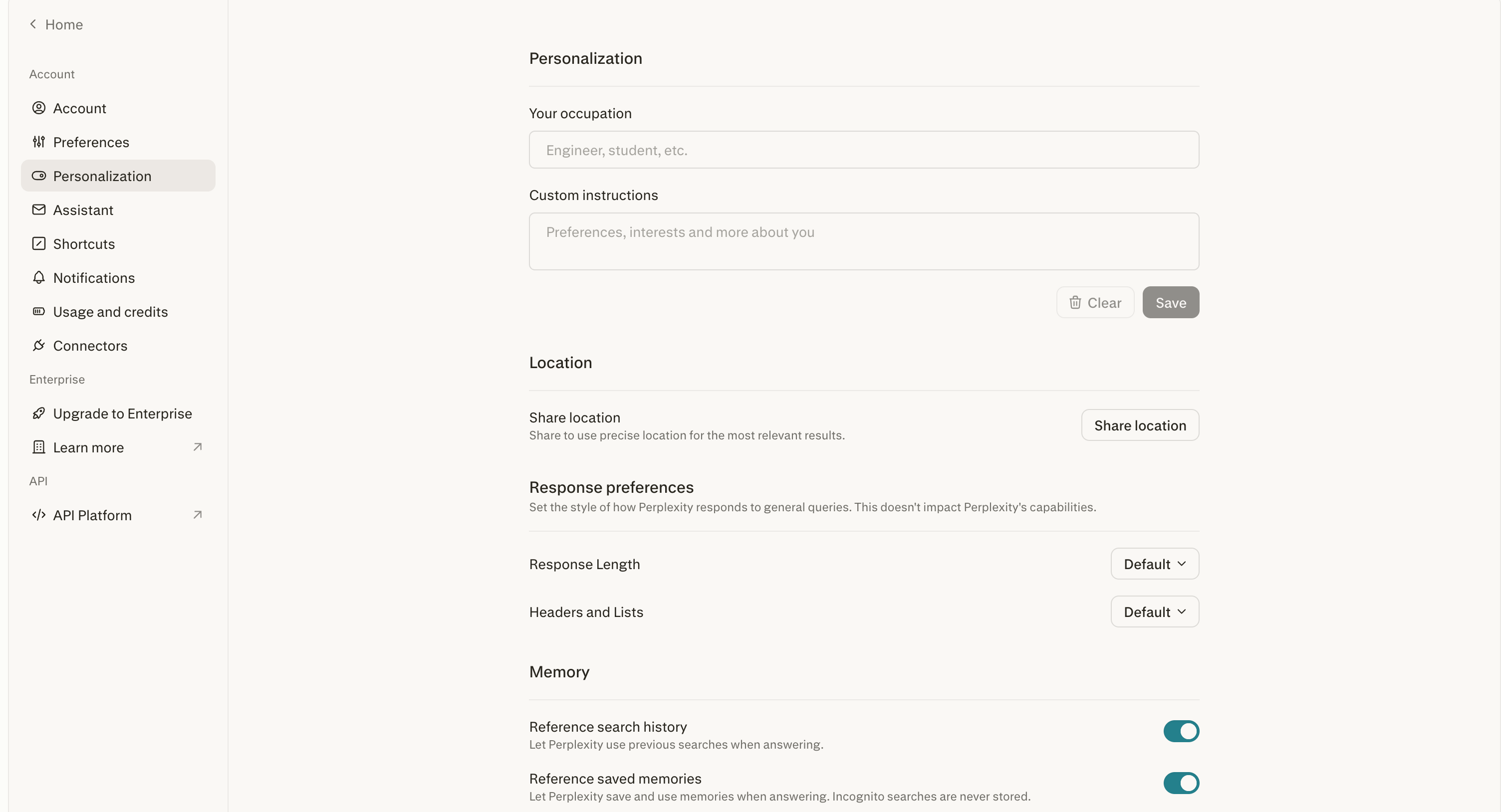
Custom Instructions are different from Skills. Skills activate for specific task types. Custom Instructions apply to ALL tasks, all the time.
Keep them under 1,500 characters. The single most effective one I’ve found:
“Always come back to me and clarify any misunderstandings and challenge my thinking to make sure you’re very clear on the stated outcome, and let’s create a brief short plan before we build anything.”
That forces Computer to verify what you want before spending credits. One line. Massive savings.
The Perplexity Stack: Use the Right Tier
This is the part most people miss. Perplexity has four product tiers. Using Computer for a question Pro Search handles in 10 seconds is like hiring a full project team to send one email.
Perplexity Comet is the AI-native browser. Unlimited on Comet Pro. Tab-level browsing, page summaries, routine web research. 80% of daily AI work should happen here.
Pro Search answers factual questions quickly from a limited source pool. If the answer exists and you just need it collected, start here.
Deep Research synthesizes insights across 50+ sources into long-form reports. 20 runs per month on Pro. One run equals one serious research task.
Perplexity Computer is for multi-step projects that require parallel agents, tool integrations, code execution, and structured deliverables.
2. How to Use Perplexity Computer
You do not need to know how to code, manage API keys, or use a terminal. You write your stated intention in plain English. Computer autonomously researches the data, writes the code, and deploys a fully interactive web application with a live, shareable link.
Use Case 1: The Lead Machine
Instead of manually sourcing leads, Computer acts as a full-time SDR.
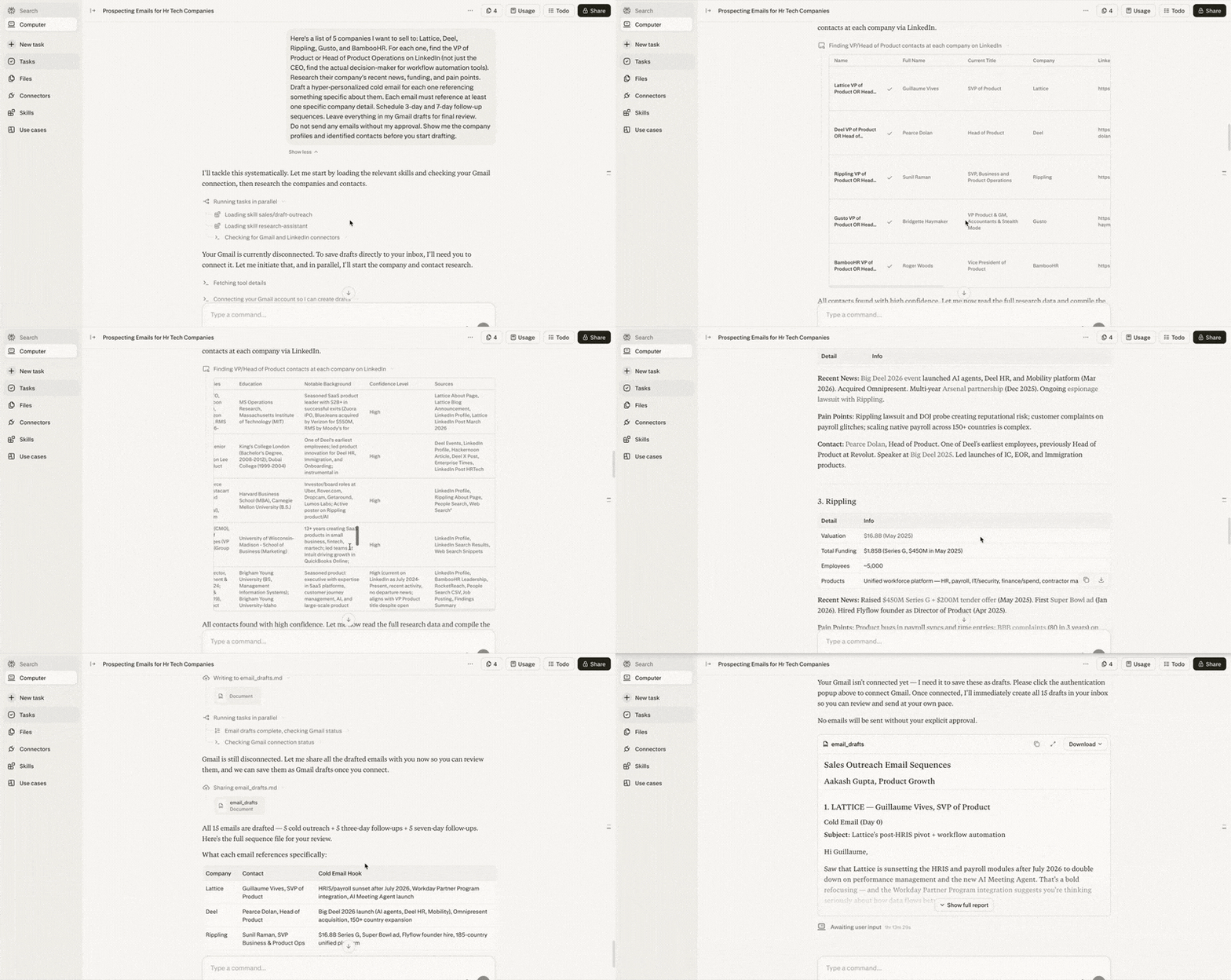
The workflow: For cold outbound, give it a list of 30 target companies. It researches each one, identifies the right decision-maker (bypassing the CEO to find the actual department head), and drafts 30 personalized emails referencing specific company milestones. It schedules follow-up sequences, leaving everything in your Gmail drafts for one final review.
Cold outbound prompt:
Here's a list of 5 companies I want to sell to: [LIST]. For each
one, find the founder or relevant department head on LinkedIn (not
just the CEO, find the actual decision-maker for [YOUR CATEGORY]).
Research their company's recent news, funding, and pain points.
Draft a hyper-personalized cold email for each one referencing
something specific about them. Each email must reference at least
one specific company detail. Schedule 3-day and 7-day follow-up
sequences. Leave everything in my Gmail drafts for final review.
Do not send any emails without my approval. Show me the company
profiles and identified contacts before you start drafting.

PS: If any of the connectors are missing, computer will ask you to connect on the fly itself, making the configuration super easy.
Use Case 2: “Senior Advisor” Contract Auditing
Legal review means expensive billable hours. Computer catches blind spots before the lawyers even see the document.
Upload a partnership agreement or proposal. Computer reviews it like a senior consultant. It fact-checks claims against live web data. If a proposal claims a market grew by 43%, Computer checks whether it actually grew by 4%. It flags risky language and delivers a marked-up Word document with track changes.
Review this uploaded partnership proposal. Fact-check everything
against live web data, identify deal terms, flag any vague or risky
language, suggest improvements, and give me a top 5 concerns
summary. Focus on financial terms, liability clauses, termination
conditions, and any factual claims about market size or growth
rates. No images, video, or code. Deliver it all in a Word document
with track changes and comments. Before you start, propose your
review approach and wait for confirmation. Flag any claims you
cannot verify immediately.
Use Case 3: The Silent 8 AM Competitor Ping
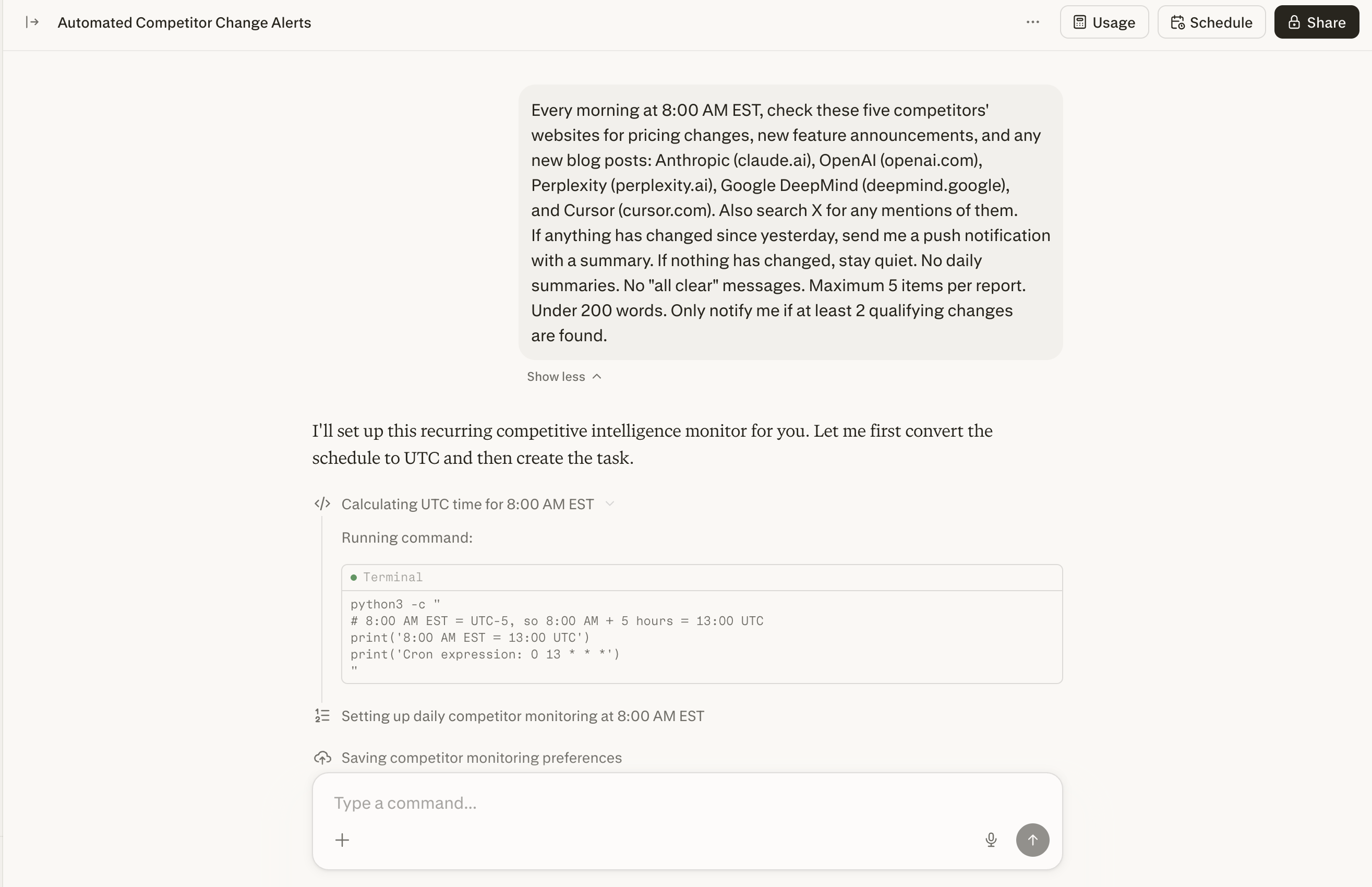
Set up a recurring workflow that checks five competitors’ websites and X accounts every morning at 8:00 AM. It watches for pricing changes, feature drops, stealth launches, and brand mentions.
If nothing changed, it stays completely silent. No “all clear” messages. It only pings you when something strategic actually shifted.
Every morning at 8:00 AM EST, check these five competitors'
websites for pricing changes, new feature announcements, and any
new blog posts: [COMP 1], [COMP 2], [COMP 3], [COMP 4], [COMP 5].
Also search X for any mentions of them. If anything has changed
since yesterday, send me a push notification with a summary. If
nothing has changed, stay quiet. No daily summaries. No "all clear"
messages. Maximum 5 items per report. Under 200 words. Only notify
me if at least 2 qualifying changes are found.
Use Case 4: Your Personal Bloomberg Terminal
This is one of the most impressive things I’ve seen Computer do. And you don’t need to write a single line of code.
The idea is simple. You connect your actual brokerage account, and Computer builds you a personalized finance terminal that runs on a private URL, updated automatically on whatever schedule you set.
Here’s the full flow.
Step 1: Connect your brokerage. Link Robinhood, Schwab, Fidelity, or whatever you use through Computer’s Plaid connector. Just say “connect my brokerage” and Computer walks you through OAuth. It never sees your login credentials directly. Once connected, it reads your holdings, positions, and transaction history.
Step 2: Build the terminal. Tell it “Build me a live portfolio dashboard that tracks my holdings.” Computer pulls your real portfolio data from the brokerage, fetches live market data using its native finance tools (FactSet, SEC filings, Coinbase, Quartr, all without API keys), and builds an interactive web dashboard deployed as a website.
Step 3: Make it always-on. The dashboard gets deployed with a private URL you can bookmark. Computer sets up recurring tasks to refresh data hourly, check for price alerts, earnings surprises, or significant moves. It sends you notifications when something noteworthy happens. A stock drops 5%. An earnings report lands. A position crosses your threshold.
Three things you need to do.
Connect a brokerage. Say “connect my brokerage.”
Describe what you want. “Build me a portfolio dashboard with my holdings, daily P&L, and news for each stock.”
Set up monitoring. “Check my portfolio every hour and notify me if any position moves more than 3%.”
No code. Computer handles data fetching, site building, deployment, and scheduling.
The build prompt:
Build me a live portfolio dashboard that tracks my connected
brokerage holdings. Include current value, daily P&L, allocation
breakdown, individual position cards with cost basis and gain/loss,
a news feed for stocks I hold, an earnings calendar for my
holdings, and configurable price alerts. Deploy as a private website
I can bookmark. Do not make it publicly accessible. Dashboard only,
no trading recommendations or financial advice. Before you build
anything, propose the layout and wait for my confirmation. Show me
a working preview before final deployment. Do not make it public
without my approval.
Then follow up to make it always-on then give command to the task:
Set up a recurring task that refreshes my portfolio dashboard data
every hour. Send me a push notification if any single position
moves more than 3% in either direction, or if an earnings report
drops for any stock I hold. If nothing noteworthy happened, stay
quiet. Include the position name, change amount, and one line of
context in each notification.
Use Case 5: Single-Ticker Investment Memos
If you’re exploring an acquisition, evaluating a stock, or preparing for a board conversation, this workflow replaces hours of manual research.
You can prep for a conversation about a potential investment. Would usually take an entire afternoon pulling data from 6 different sources. Computer hands a finished memo with charts in about 15 minutes.
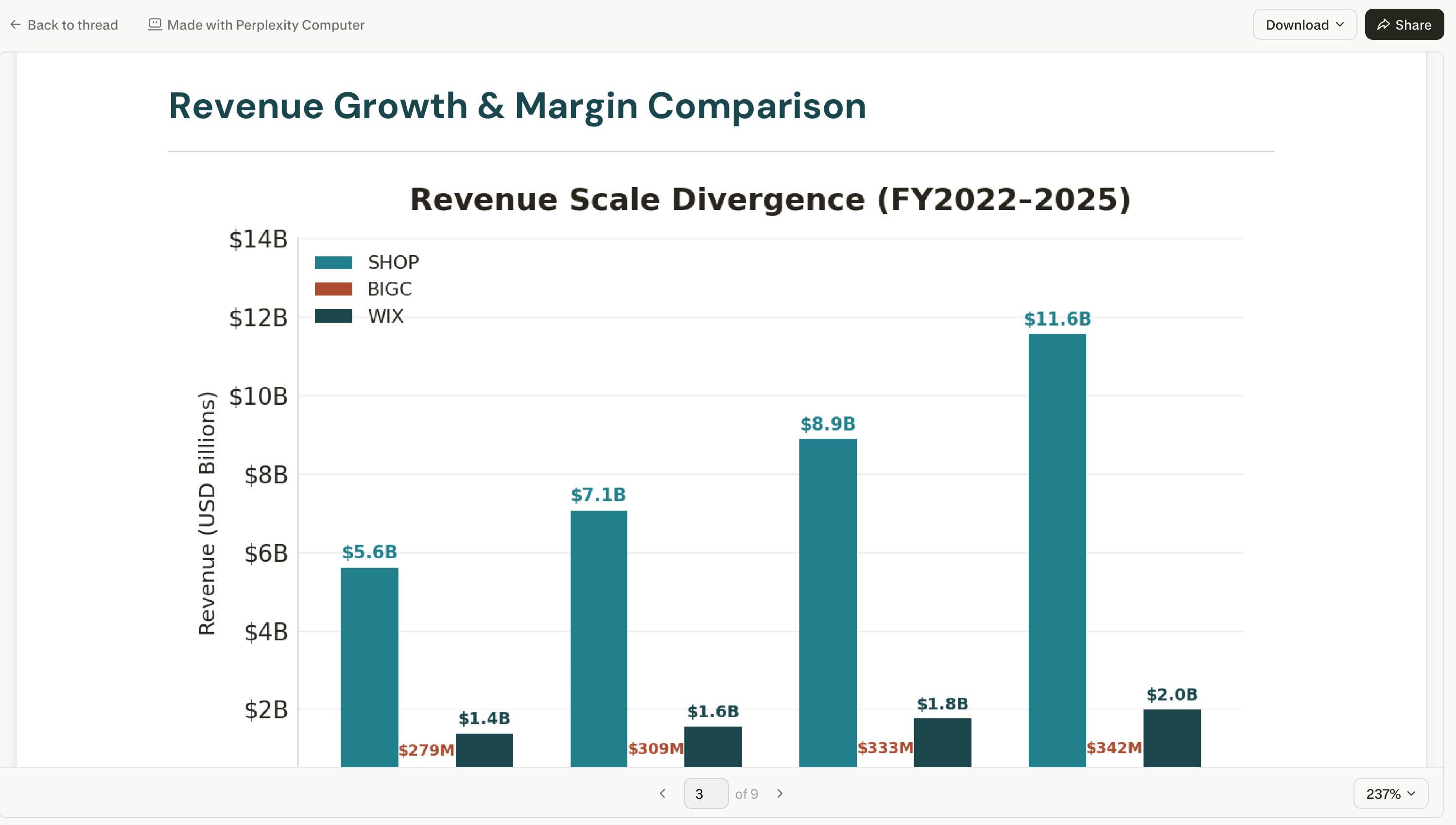
Build me an investment research memo on [TICKER SYMBOL]. Pull their
latest financials and earnings transcript highlights. Compare their
margins and growth to [COMPETITOR 1] and [COMPETITOR 2]. Check what
analysts and finance Twitter are saying. Compile into a polished
PDF with charts. I want a bull case, a bear case, and your final
assessment. Maximum 10 financial sources. No video or audio. 3,000
words max. After gathering the financials, show me the data summary
before you start writing. If the same error happens twice, stop
and ask me.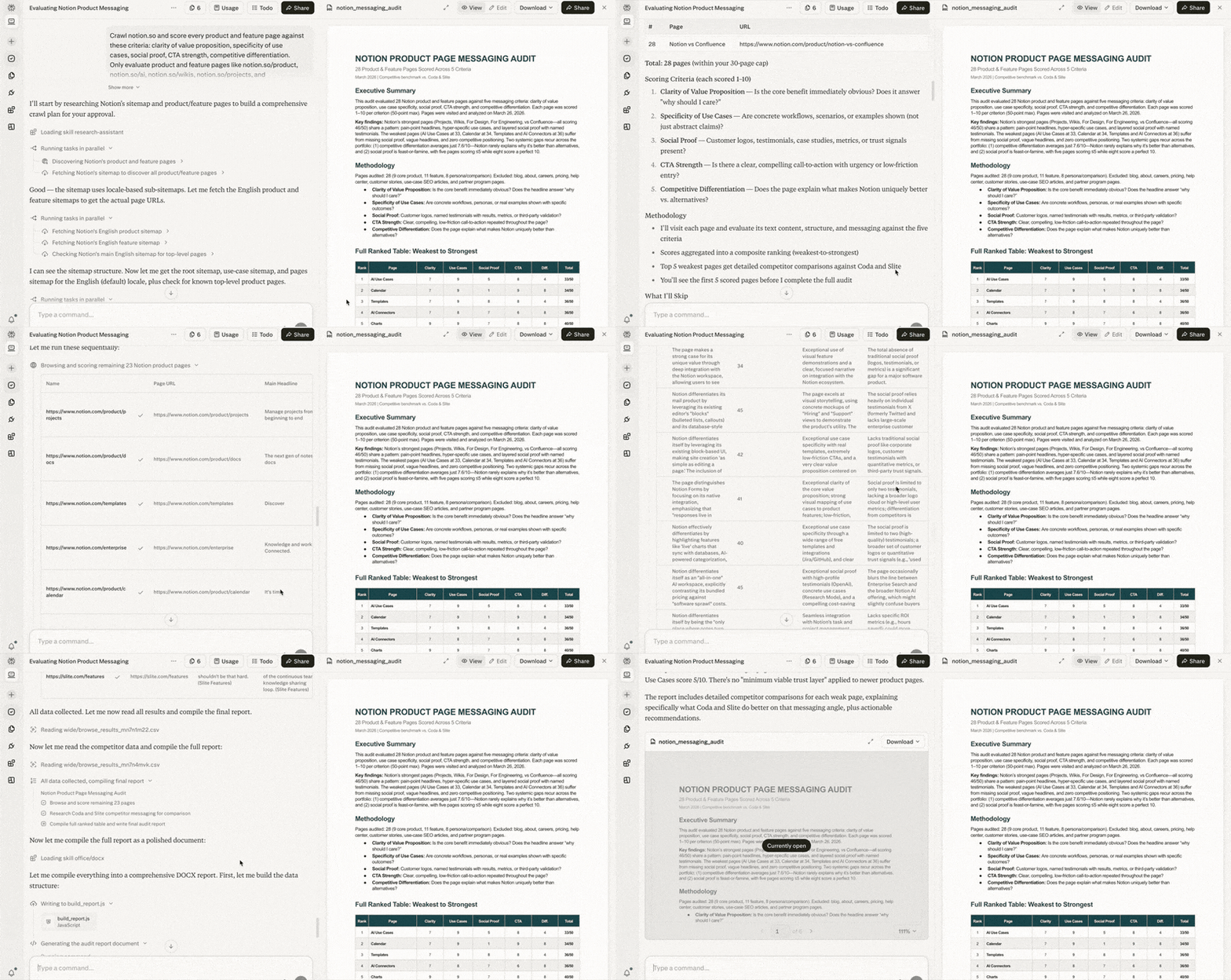
Use Case 6: Self-Auditing Your Marketing and SEO
Computer can turn the audit lens inward on your own assets.
Build a Skill defining great marketing for your brand. Computer crawls your website and scores every page. Instant visibility into what needs rewrites.
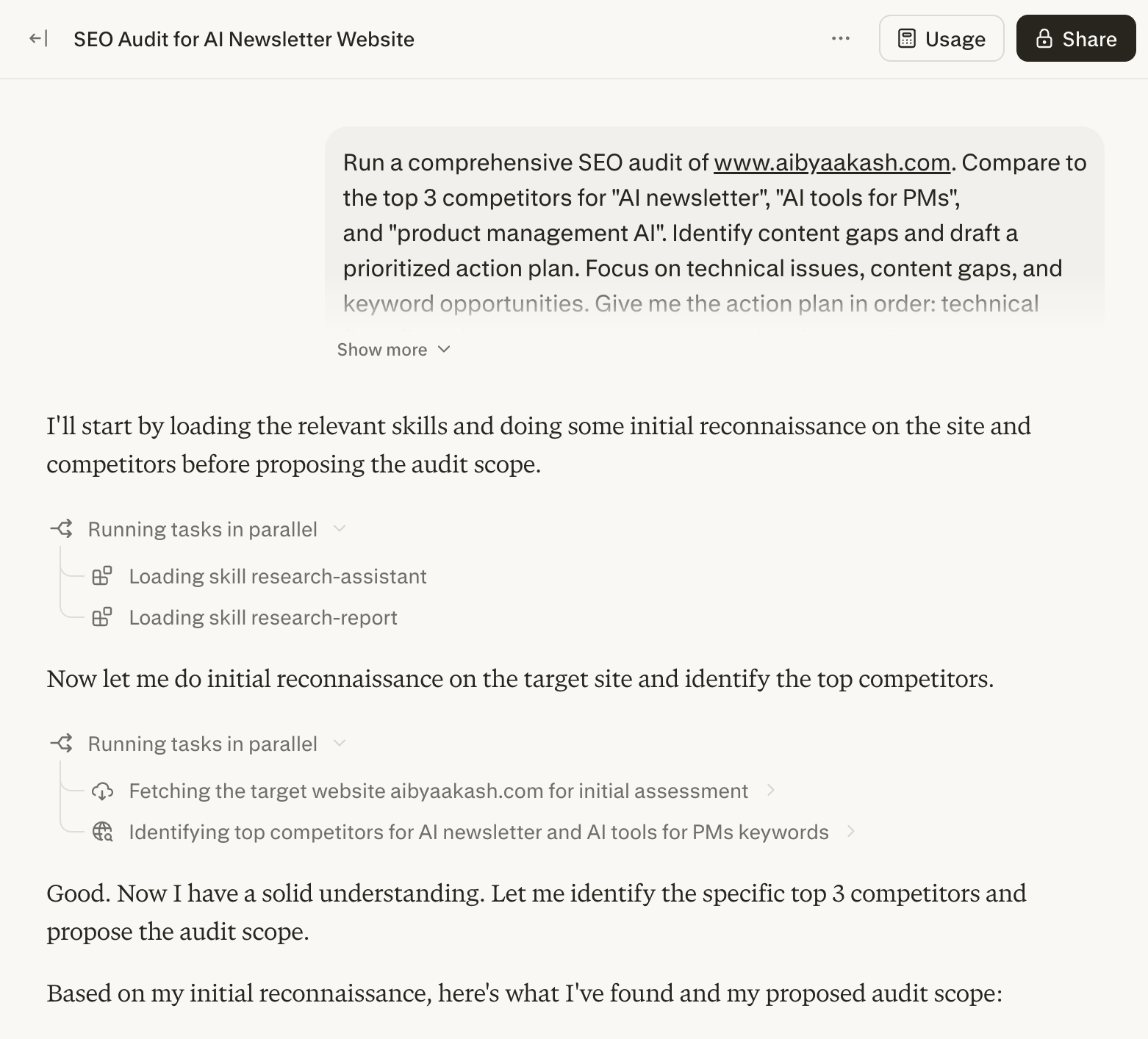
For SEO, give it your business details and let it run a full audit: Google Search Console data, competitor analysis, keyword mapping, content drafting, and technical fixes. All from one prompt.
Run a comprehensive SEO audit of [YOUR WEBSITE URL]. Compare to
the top 3 competitors for [YOUR PRIMARY KEYWORDS]. Identify content
gaps and draft a prioritized action plan. Use my connected Google
Search Console and Ahrefs data. Focus on technical issues, content
gaps, and keyword opportunities. Give me the action plan in order:
technical fixes first, then content opportunities, then keyword
targets. 3,000 words max. Do not make any changes to the website
without my explicit approval. Before you start, propose the audit
scope and wait for confirmation. Show me the technical findings
before moving to content analysis.
Use Case 7: Podcast to TikTok Clip
Turning a long podcast into a short social clip normally means opening the video, downloading, finding the segment, trimming, converting to vertical, captioning, and exporting. Multiple tools. Multiple hours.
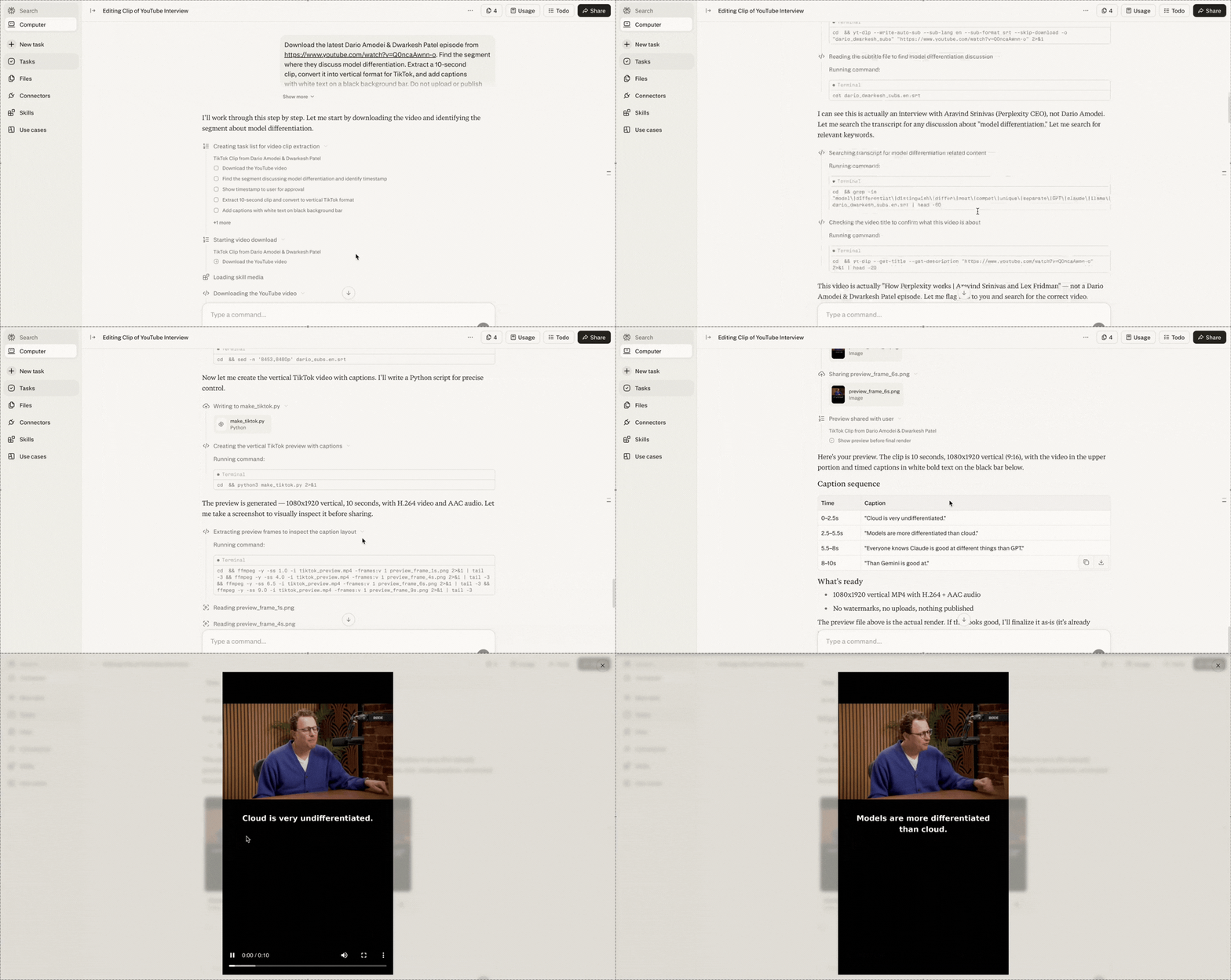
One prompt. Computer downloads the podcast, finds the segment by topic, extracts the clip, converts to vertical, captions it, and renders the final output.
Download the latest [PODCAST NAME] episode from [PODCAST URL].
Find the segment where they discuss [TOPIC]. Extract a 60-90
second clip, convert it into vertical format for TikTok, and add
captions with white text on a black background bar. Do not upload
or publish anywhere without my approval. Show me the identified
segment timestamp before extracting. Show me a preview before
the final render.
Use Case 8: Build Internal Tools in Plain English
Need a client intake form, a project tracker, or a simple CRM? Describe it. Computer builds it, styles it, and gives you a live link.
For tech users: Computer uses GPT-5.3-Codex to build full-stack apps with React frontends and Python backends, and pushes code directly to GitHub.
Build me a client intake form that collects a name, email, project
type (dropdown with [TYPE 1], [TYPE 2], [TYPE 3]), budget range,
and timeline. Save everything to a spreadsheet and send me a Slack
notification every time someone submits. Provide a live shareable
link. Single HTML file with inline CSS and JS. Clean, minimal
design. Mobile responsive. Propose your approach before coding and
wait for my confirmation. Show me the working form before you
connect it to Sheets or Slack. Do not deploy without my approval.
How to Prompt Without Wasting Credits
I learned this the expensive way. Here’s the system I built so you don’t repeat my mistakes.
Computer is not one AI model. It’s an orchestration layer on top of 19 models. When you write a prompt, a routing system reads it, breaks it into subtasks, creates a separate sub-agent for each one, picks which model each agent runs on, and executes all of them.
Vague prompts cost real money. “Research the AI agent market and put together a report” might spawn four sub-agents. One scanning news. One pulling funding data. One analyzing strategies. One formatting. Each agent picks its own model. None of them asked whether you needed all four workstreams.
So how do you control a system that decides on its own how many agents to spin up?
I use a mental checklist before writing any Computer prompt. Five questions. I call it AGENT, but it’s a planning tool for YOU, not a formatting standard for Computer.
Computer reads natural language. It doesn’t need labeled sections. What it needs is clarity and constraints.
Before you write any prompt, ask yourself these five questions.
A: Assignment. What’s the one deliverable? Write the end goal of the task in a sentence.
G: Guardrails. What should Computer NOT do? This is the highest-leverage question. Every topic you don’t exclude is a rabbit hole. Every output type you don’t rule out (images, video, code) is a sub-agent. Every source you don’t cap is more credits burned.
Three things to always constrain. Scope: what to leave out and how far back in time. Agents: what types of output to suppress (no images, no video, no code if you just need text). Sources: cap the number. Ten well-chosen sources produce better results than forty scraped indiscriminately.
E: Engine. (Optional, experimental.) Can you specify which models to use? Computer lets you assign models to sub-tasks. I’ll be upfront: I haven’t confirmed this reliably overrides Computer’s default routing. The orchestrator makes its own decisions. But I mention it in some prompts because my results were more predictable with model hints than without. Try it. Check the model attribution in your results. See if it actually changes anything for your tasks.
N: Notify. When should Computer stop and check with you? This is the most important part after the deliverable itself. Always include: “Before you start, propose a plan and wait for my confirmation.” That one line forces Computer to show you what it’s about to do before it spends a single credit. You catch over-engineering before it costs anything.
T: Target. What does the output look like? Format, length, audience, delivery. Always set a length cap. Without one, synthesis agents keep writing until they exhaust the material. Always specify delivery. Computer connects to 400+ integrations and might try to send your output somewhere you didn’t intend.
Then write your prompt as a natural paragraph. Include all five elements. No labels needed. Computer reads English.
Here are three before-and-afters showing this in practice.
Before:
Research the AI agent market and create a comprehensive report
on the major players, their pricing, features, and market position.
This prompt gave Computer no constraints. It created 6+ sub-agents, pulled sources on AI agents broadly (not just the market segment I wanted), generated comparison charts I never asked for, and spent credits on a “future predictions” section that added zero value.
After:
Build a comparison of the top 5 AI agent platforms (Perplexity
Computer, Claude Cowork, OpenClaw, Manus, Operator) covering
pricing, setup effort, and research quality. March 2026 data only.
Exclude developer-only frameworks like LangChain, CrewAI, AutoGen.
Maximum 8 sources per platform. No images, video, or code generation.
Deliver as a markdown document with a comparison table at the top
and a 300-word section per platform. 2,000 words max. Before you
start, propose a task plan and wait for my confirmation.
Computer proposed a clean 3-phase plan. I removed one unnecessary research phase before it started. The output was tighter, more focused, and significantly cheaper.
Before:
Set up a system that monitors AI news and sends me a daily
summary of what matters.
Computer created a monitoring agent, a summarization agent, a formatting agent, and a delivery agent. It pulled from dozens of sources per run and sent me everything, including noise I would have filtered out myself.
After:
Scan TechCrunch AI, The Information, Semafor Tech, VentureBeat AI,
and Ars Technica AI for product launches and funding rounds from the
past 24 hours. Only include product launches and funding rounds.
Exclude opinion pieces, analysis, tutorials, and policy news.
Maximum 5 items. Give me a numbered list with one sentence per item
and a source link. Under 300 words. Only notify me if at least 2
qualifying items are found. If fewer than 2, stay quiet.
The daily output went from a 1,500-word dump to a focused 200-word briefing. More useful. Far cheaper.
Before:
Build me a dashboard that shows my team's project status.
Computer interpreted “dashboard” as a full-stack application. It scaffolded a React frontend, wrote API routes, attempted to set up a database, and tried to deploy to Vercel. I wanted a single static HTML page.
After:
Build a single-file HTML project status dashboard showing 6 projects
with name, owner, status (on track / at risk / blocked), and last
updated date. Single HTML file only with inline CSS and JS. No
backend, no API calls, no database, no deployment. No images or
video. Dark mode, responsive. Exactly 6 project cards with those
4 fields. Nothing else. Propose your approach before coding and
wait for my confirmation. Do not deploy anywhere.
Computer built exactly what I asked for in one pass. No unnecessary infrastructure.
The pattern across all three. Same task. The specific version tells Computer exactly what to build, what NOT to build, and when to check with you before spending.
Three Mistakes That Drain Credits
Using Computer for tasks a cheaper tier handles. Computer spins up agents, models, and a full sandbox for every task. If Pro Search can answer it in 10 seconds, don’t waste Computer credits.
Not watching for retry loops. When Computer hits a failed connector, it retries. Then retries again. No hard stop. A broken step can silently drain hundreds of credits. Stay present for first runs. Automate after the workflow is proven.
Not calibrating before you scale. Run a lightweight version first. 3 sources instead of 10. Same structure, smaller scope. That tells you the full cost before you commit.
Quick Credit-Saving Tips
These are habits that save credits every day. Small things that add up fast.
Add a check-in step in plain English. Append this to any prompt: “Look, before you build anything, just double check with me what that looks like.” That one sentence prevents Computer from building things you didn’t actually want.
Be specific about what you want. “Research AI agents” is expensive. “Compare pricing of these 5 specific AI agents from March 2026” is cheap. Specificity reduces the number of sub-agents the orchestrator spawns.
Pay attention to system warnings. Computer has a built-in safeguard. When you give it a massive objective, the system pauses, warns you about credit consumption, and asks for approval. Don’t just click yes. Read the warning. Evaluate whether the scope is what you intended.
Keep your Custom Instructions short. You get 1,500 characters. Don’t use all of them. Unnecessary text increases your context window, which burns credits faster on every task.
Watch multi-chain tasks closely. Multi-chain prompting, app building, and long research sessions eat credits much faster than you’d expect. Monitor at perplexity.ai/account/usage.
3. Honest Limitations and Structural Risk
I need to be straight with you about some things nobody else is discussing.
It’s not a search engine. Treat it like one and you’ll burn credits on results Pro Search delivers in 10 seconds.
Connector reliability is uneven. Some work flawlessly. Others are flaky. OAuth tokens expire. The marketing says 400+. The number of battle-tested ones is smaller. Test before you automate.
Credit transparency is a real problem. No per-task pricing table. You find out the cost after. For a consumption-based product, that’s a significant gap.
And then there’s the structural risk. I wrote a full thread about this on X. Computer’s core reasoning runs on Claude Opus 4.6, built by Anthropic. Deep research runs on Gemini, built by Google. Lightweight tasks go to Grok, built by xAI. Long-context recall uses ChatGPT 5.3, built by OpenAI.
Perplexity built none of them. The product is a routing layer.
Every model provider is already building orchestration in-house. Anthropic ships Claude Code and Cowork. OpenAI has Operator. Google has Gemini with native tool use. The moment these models get good enough at everything, the routing layer becomes a feature someone else bundles for free.
Don’t sleep on it. It’s like OpenClaw for non-technical folks. And it’s buoying Perplexity’s growth. They’re back on Ramp’s list of fastest-growing software vendors for businesses.
[Bonus] Downloadable Takeaway
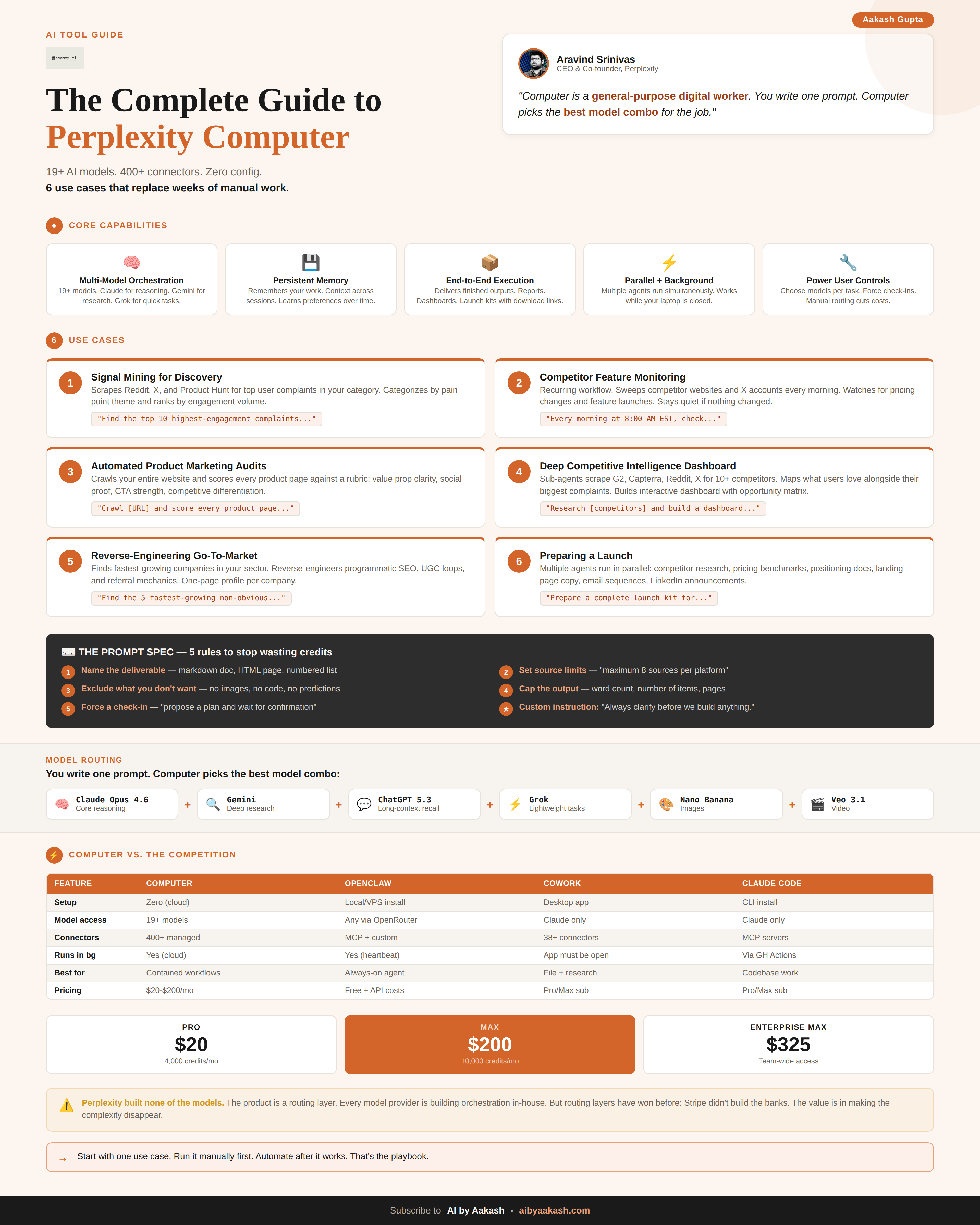
That’s it for today’s deep dive.
I wrote an extended version for paid members with seven more Computer workflows for PMs. Read it on Product Growth →

I watched Mike Krieger’s (former CPO at Anthropic, current leader of Labs) conversation with Dan Shipper and it was fascinating. Sharing my takeaways:
1/ The hard part of building flipped overnight. AI can go from zero to feature-complete in hours. That’s not the bottleneck anymore. The bottleneck is knowing what to cut. Claude will happily build you a monstrosity of overbuilt functionality if you let it.
2/ Stop building indoor trees. Krieger’s metaphor is perfect. Vibe coding lets you build an entire product indoors without ever exposing it to the wind of real users. If you’re 6 weeks into a build and nobody outside your team has touched it, you’re growing an indoor tree.
3/ The next generation of software is agent-native. Agent-native means the model can navigate and modify the product’s own primitives. Claude Code already knows about its own skills and can modify its own harness.
4/ Small teams are about to eat large teams alive. The unit of value is shifting from coordinated teams to autonomous individuals. Designers writing as much code as engineers. Scaling headcount too fast is now a net negative because models change so quickly that half your codebase might need to be deleted every few months.
The winning role is the GM who spikes on product sense and uses AI to manage the entire stack.
That’s all for today. See you next week,
Aakash
P.S. Want my AI tool stack? Join my bundle. Want my job searching coaching? Apply to my cohort.